> ## Documentation Index
> Fetch the complete documentation index at: https://hoopdev-feat-new-runbook-parameters.mintlify.site/llms.txt
> Use this file to discover all available pages before exploring further.
# Overview
> Connect hoop.dev to your Identity Provider using OIDC or SAML 2.0
Hoop.dev supports a variety of Identity Providers for user authentication.
The guides below cover providers we have validated, but any OIDC-compliant or SAML2.0 IDP should work using the same integration method.
## Users
**Users are active and assigned to the default organization on signup.**
A user can be set to an inactive state to block platform access, but managing user state in the identity provider is the recommended approach.
* The `sub` claim is the main user identifier in the platform.
* For OIDC, the user profile is derived from the `email` and `name` claims in the `id_token`.
* For SAML, the user profile is derived from assertion Attribute Values
### SAML 2.0 Attribute Values
To propagate information from your Identity Provider to Hoop, propagate them via Attribute Values.
The supported attributes are described below:
#### Email Address
* `email`
* `emailaddress`
* `mail`
* `http://schemas.xmlsoap.org/ws/2005/05/identity/claims/emailaddress`
* `http://schemas.xmlsoap.org/ws/2005/05/identity/claims/upn`
#### First Name
* `first_name`
* `name`
* `http://schemas.microsoft.com/identity/claims/displayname`
* `http://schemas.xmlsoap.org/ws/2005/05/identity/claims/name`
* `http://schemas.xmlsoap.org/ws/2005/05/identity/claims/givenname`
#### Last Name
* `last_name`
* `http://schemas.xmlsoap.org/ws/2005/05/identity/claims/surname`
#### Groups
If the SAML Assertion contains an attribute value with the name `groups` it will synchronize this attribute on every login.
## Groups
Groups define who can access or interact with specific resources:
* For **connection** resources, groups control which users can access a specific connection. This is enforced when the **Access Control feature** is enabled.
* For **access requests**, groups define who can approve an execution. This is enforced when the **Access Requests feature** is enabled.
Groups can be managed manually in the web app or propagated automatically by the identity provider via the ID token (OIDC) or SAML attribute value.
When using IdP propagation, group memberships are synchronized on every user login.
## Roles
* The **admin** group grants full access to all resources.
Assign this role to users responsible for managing the Gateway. All other users are standard, meaning they can access their own resources and interact with connections.
* The **auditor** group grants read-only access to session resources.
## Configuration Page
This feature is available beginning with version `1.38.12`
Configure the identity provider directly from the Webapp.
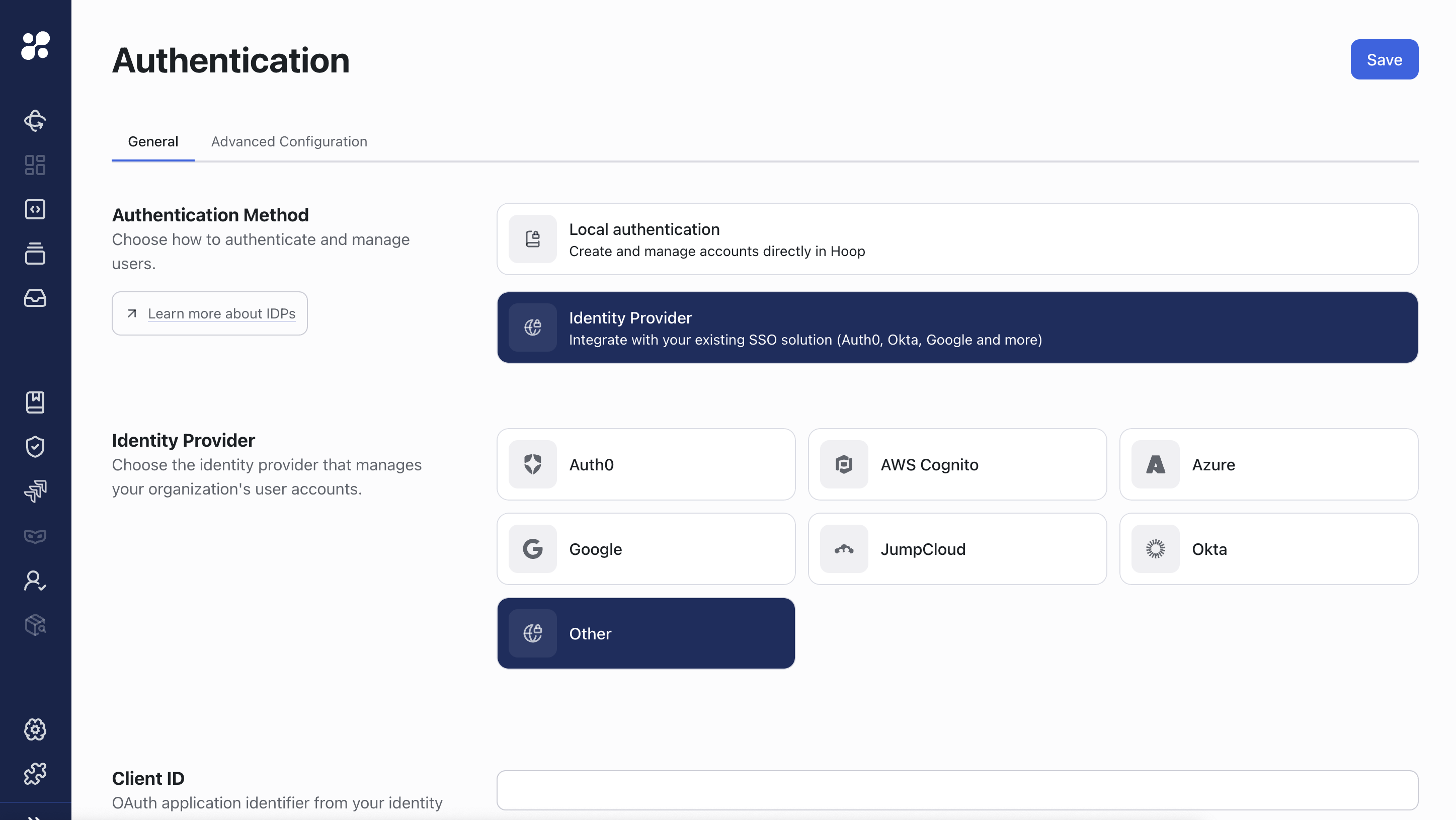 After saving the configuration, the identity provider reloads automatically with the new settings.
Environment variables are not considered as part of the configuration after this point.
## Troubleshooting
**A misconfigured IDP can lock you out of the application.** To wipe all configuration, connect to the Hoop Postgres database and delete the following row:
```sql theme={null}
-- clear all configuration
DELETE FROM private.authconfig WHERE org_id = (SELECT id FROM private.orgs);
```
To update a single configuration:
```sql theme={null}
UPDATE private.authconfig
SET admin_role_name = 'my-new-admin-role-group'
WHERE org_id = (SELECT id FROM private.orgs);
```
Upcoming releases will improve this experience to avoid this situation.
After saving the configuration, the identity provider reloads automatically with the new settings.
Environment variables are not considered as part of the configuration after this point.
## Troubleshooting
**A misconfigured IDP can lock you out of the application.** To wipe all configuration, connect to the Hoop Postgres database and delete the following row:
```sql theme={null}
-- clear all configuration
DELETE FROM private.authconfig WHERE org_id = (SELECT id FROM private.orgs);
```
To update a single configuration:
```sql theme={null}
UPDATE private.authconfig
SET admin_role_name = 'my-new-admin-role-group'
WHERE org_id = (SELECT id FROM private.orgs);
```
Upcoming releases will improve this experience to avoid this situation.