> ## Documentation Index
> Fetch the complete documentation index at: https://hoopdev-feat-new-runbook-parameters.mintlify.site/llms.txt
> Use this file to discover all available pages before exploring further.
# JIT Access Requests Configuration
> Configure time-based access controls for your connections
This page covers the configuration options for Just-in-Time Access Requests. For an introduction to how JIT Access Requests work, see [JIT Access Requests](/learn/features/access-requests/jit).
## Enabling JIT Access Requests
### Via Web App
Go to **Manage > Access Requests** in the Web App
Find your connection and toggle it to **Active**
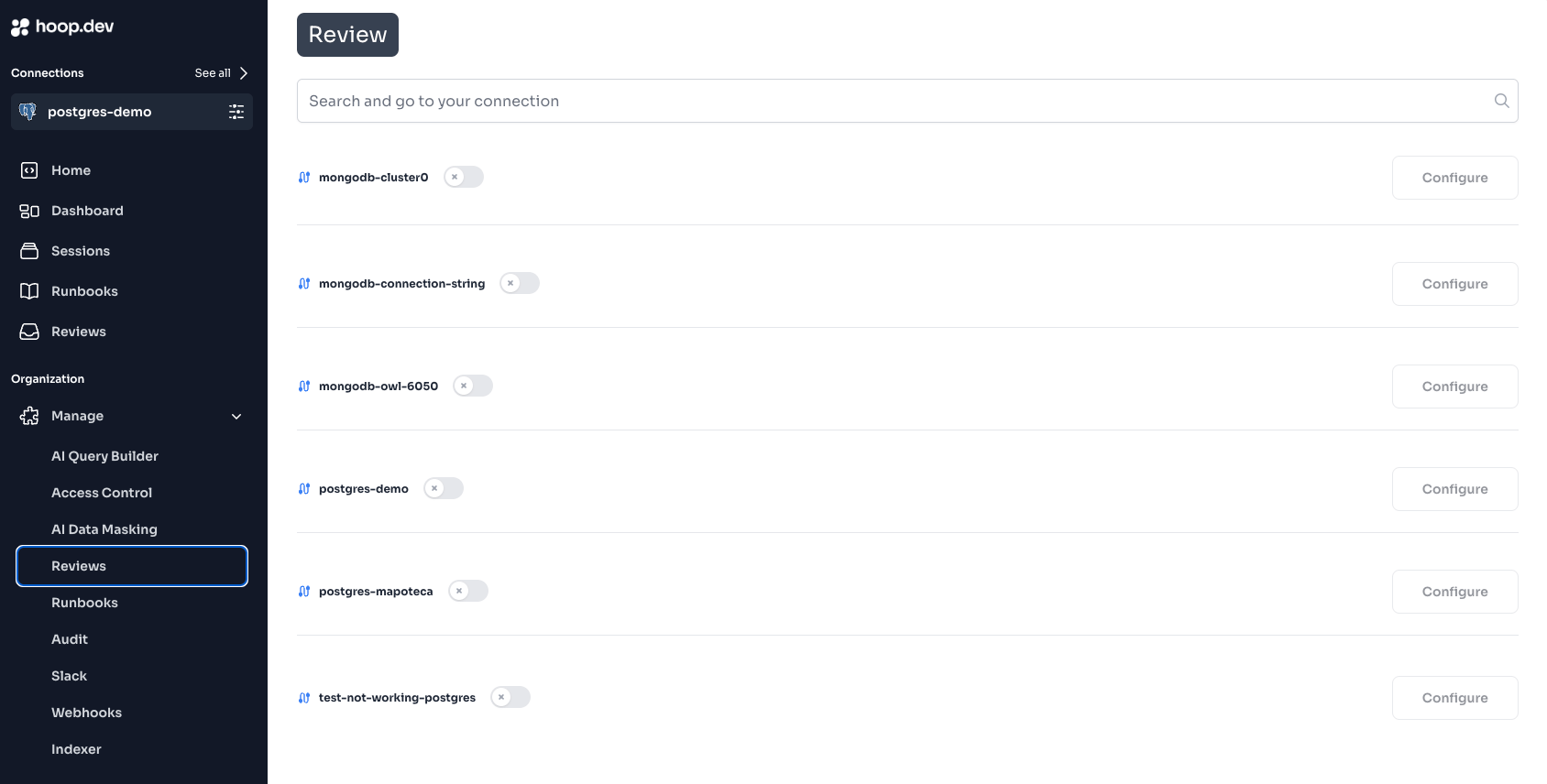 Click **Configure** and select the groups that can approve requests
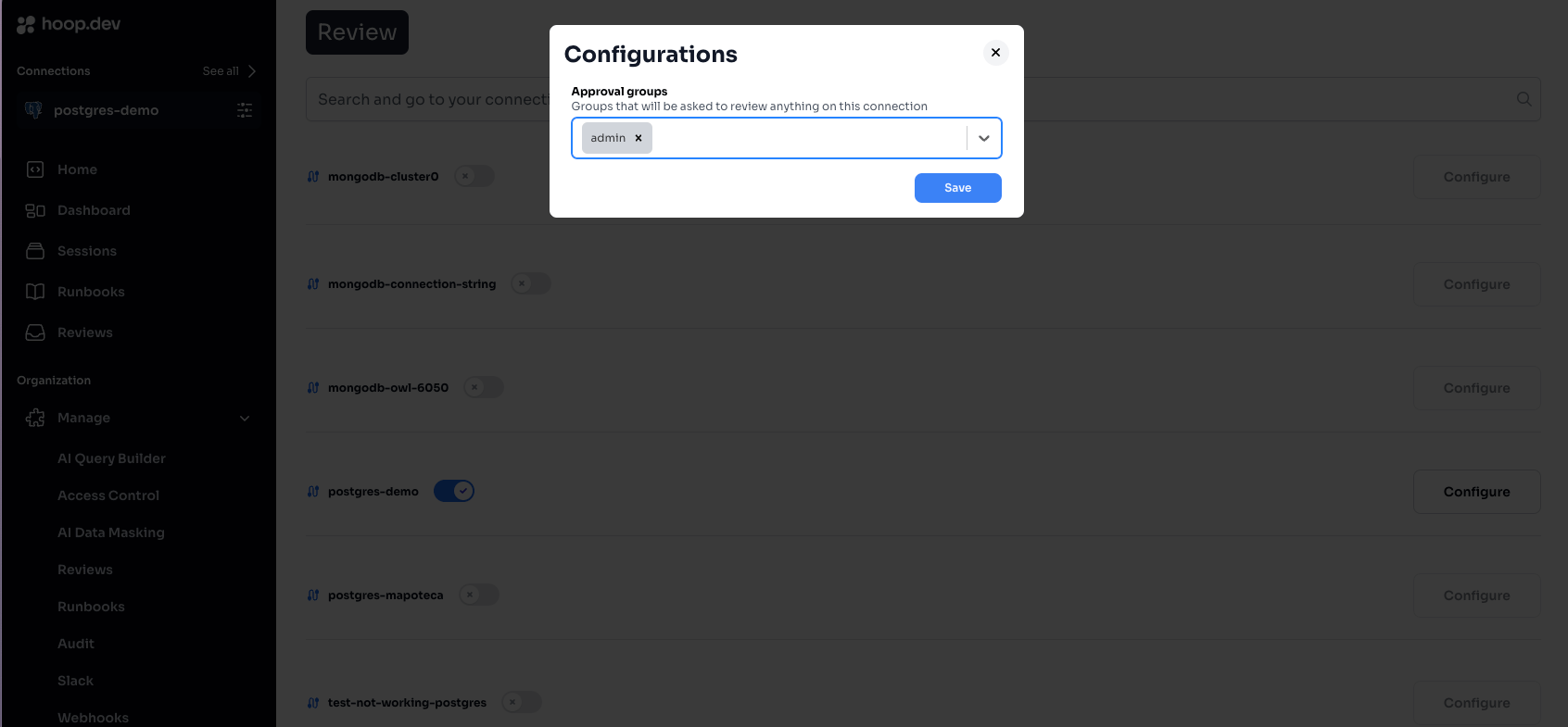 Selecting multiple groups requires **all groups** to approve before access is granted.
### Via CLI
You can also configure access requests when creating a connection:
```bash theme={null}
hoop admin create conn prod-postgres \
--agent default \
--reviewers 'dba-team,security' \
-- psql -h localhost -U postgres
```
The `--reviewers` flag specifies which groups can approve access requests.
***
## Requesting JIT Access
Users request time-based access using the `--duration` flag:
```bash theme={null}
hoop connect prod-postgres --duration 2h
```
The CLI will wait for approval:
```
⣷ waiting for access request to be approved at https://use.hoop.dev/access-requests/abc123...
```
### Duration Formats
| Format | Duration |
| ------ | ---------- |
| `10m` | 10 minutes |
| `30m` | 30 minutes |
| `1h` | 1 hour |
| `2h` | 2 hours |
| `8h` | 8 hours |
| `24h` | 24 hours |
***
## Configuration Options
### Maximum Access Duration
Limit how long users can request access. Configure in **Manage > Connections > \[connection] > Settings**.
### Multiple Approval Groups
When multiple groups are configured, **all groups** must approve before access is granted.
**Example:** Configure `dba-team` and `security-team` as approvers:
* Request requires 1 approval from `dba-team` AND 1 approval from `security-team`
* Either group can reject the request
### Admin Auto-Approval
Admin users automatically approve their own requests. This is by design to ensure admins always have access.
To test the full workflow, use a non-admin account.
***
## Integration with Slack
To receive and approve requests in Slack:
1. [Configure the Slack integration](/integrations/slack)
2. Enable the `slack` plugin on your connection:
```bash theme={null}
hoop admin create conn prod-postgres \
--agent default \
--reviewers 'dba-team' \
--plugin slack \
-- psql -h localhost -U postgres
```
3. Approvers subscribe with `/hoop subscribe` in Slack
4. Access requests appear as interactive messages
***
## Environment Variables
These environment variables affect JIT Access Requests behavior on the gateway:
| Variable | Description | Default |
| -------------------- | ----------------------------------------------- | --------------- |
| `REVIEW_TIMEOUT_SEC` | How long to wait for approval before timing out | `3600` (1 hour) |
***
## Related
Learn how JIT Access Requests work and common use cases
Configure per-command approval workflows
Set up Slack for access request notifications
Configure who can access which connections
Selecting multiple groups requires **all groups** to approve before access is granted.
### Via CLI
You can also configure access requests when creating a connection:
```bash theme={null}
hoop admin create conn prod-postgres \
--agent default \
--reviewers 'dba-team,security' \
-- psql -h localhost -U postgres
```
The `--reviewers` flag specifies which groups can approve access requests.
***
## Requesting JIT Access
Users request time-based access using the `--duration` flag:
```bash theme={null}
hoop connect prod-postgres --duration 2h
```
The CLI will wait for approval:
```
⣷ waiting for access request to be approved at https://use.hoop.dev/access-requests/abc123...
```
### Duration Formats
| Format | Duration |
| ------ | ---------- |
| `10m` | 10 minutes |
| `30m` | 30 minutes |
| `1h` | 1 hour |
| `2h` | 2 hours |
| `8h` | 8 hours |
| `24h` | 24 hours |
***
## Configuration Options
### Maximum Access Duration
Limit how long users can request access. Configure in **Manage > Connections > \[connection] > Settings**.
### Multiple Approval Groups
When multiple groups are configured, **all groups** must approve before access is granted.
**Example:** Configure `dba-team` and `security-team` as approvers:
* Request requires 1 approval from `dba-team` AND 1 approval from `security-team`
* Either group can reject the request
### Admin Auto-Approval
Admin users automatically approve their own requests. This is by design to ensure admins always have access.
To test the full workflow, use a non-admin account.
***
## Integration with Slack
To receive and approve requests in Slack:
1. [Configure the Slack integration](/integrations/slack)
2. Enable the `slack` plugin on your connection:
```bash theme={null}
hoop admin create conn prod-postgres \
--agent default \
--reviewers 'dba-team' \
--plugin slack \
-- psql -h localhost -U postgres
```
3. Approvers subscribe with `/hoop subscribe` in Slack
4. Access requests appear as interactive messages
***
## Environment Variables
These environment variables affect JIT Access Requests behavior on the gateway:
| Variable | Description | Default |
| -------------------- | ----------------------------------------------- | --------------- |
| `REVIEW_TIMEOUT_SEC` | How long to wait for approval before timing out | `3600` (1 hour) |
***
## Related
Learn how JIT Access Requests work and common use cases
Configure per-command approval workflows
Set up Slack for access request notifications
Configure who can access which connections